01Why the website development process matters
Every website I've seen go badly over budget had the same pattern: steps done out of order. Design started before anyone knew what pages were needed, development started before copy existed, and SEO was an afterthought on launch week. The website development process exists to stop that from happening.
Below is the sequence I follow, what happens in each stage, and what I need from the client to move to the next one. It's the detailed version of the planning section in my professional website development guide. Your developer's process might use different names, but if they skip a stage entirely, ask why.
- Discovery
- Sitemap and content planning
- Wireframes
- Visual design
- Development
- Quality assurance
- Technical SEO setup
- Launch
- Post-launch support
02Discovery: goals, audience and scope
Discovery is a structured conversation, usually one or two calls plus a written summary. I want to understand the business, who the site is for, what a successful visit looks like, and which systems it needs to connect to. I also look at the current site, if there is one, including its Search Console data, so we don't throw away pages that already rank.
The questions I ask are practical. What should a visitor do after reading the homepage? Who answers enquiries, and how quickly? Which pages bring in business today? Is there a CRM, booking tool or email platform the site has to feed? Who will update the site after launch, and how often? The answers decide the platform, the page templates and the integrations more than any design preference does.
The output is a written scope: pages, features, integrations, what's out of scope, and a timeline. This is also where cost is fixed, which is why the factors behind website development cost are worth reading before this call.
- Client provides: business goals, target customers, competitors or sites you like, access to the existing site, analytics and Search Console.
- Developer delivers: written scope, estimate, timeline and list of open questions.
03Sitemap and content: deciding what the site says
With scope agreed, I draft a sitemap: every page, its purpose, its main search phrase, and how it links to others. For service businesses, this is where we decide to give each service its own page rather than burying everything on one long page. It's also where the URL structure is fixed, which matters for SEO later.
Then content. I strongly prefer real copy before visual design, or at least a solid draft. Design built around placeholder text always needs adjusting when the real words arrive, because real headlines are longer and real service descriptions don't fit in neat three-line cards.
- Client provides: copy or input for copywriting, logo files, brand guidelines, photos, testimonials you have permission to publish, legal pages.
- Developer delivers: sitemap, URL plan, content brief or template for each page type.
Content is the most common cause of delay. If you can only do one thing early, start writing your service pages.
04Wireframes and visual design
Wireframes are low-detail layouts that show what goes where on each page type, without colours or imagery. They are cheap to change, which is the point: it's far easier to move a pricing section in a wireframe than in a finished design.
Visual design then applies brand, typography, colour and imagery to the approved wireframes, usually for the main templates first (home, service page, article, contact) and then for any unique pages. I design the mobile and desktop views together and build a small component library at the same time, so development can reuse rather than reinvent.
Feedback is where this stage slows down. Two rounds of revisions per template is usually enough when feedback is consolidated; it turns into five rounds when comments arrive from four people who disagree with each other. Nominating one decision-maker on your side is the single best thing you can do for the timeline here.
- Client provides: consolidated feedback from one decision-maker, within the agreed review window.
- Developer delivers: wireframes for each template, then high-fidelity mobile and desktop designs.
05Development and quality assurance
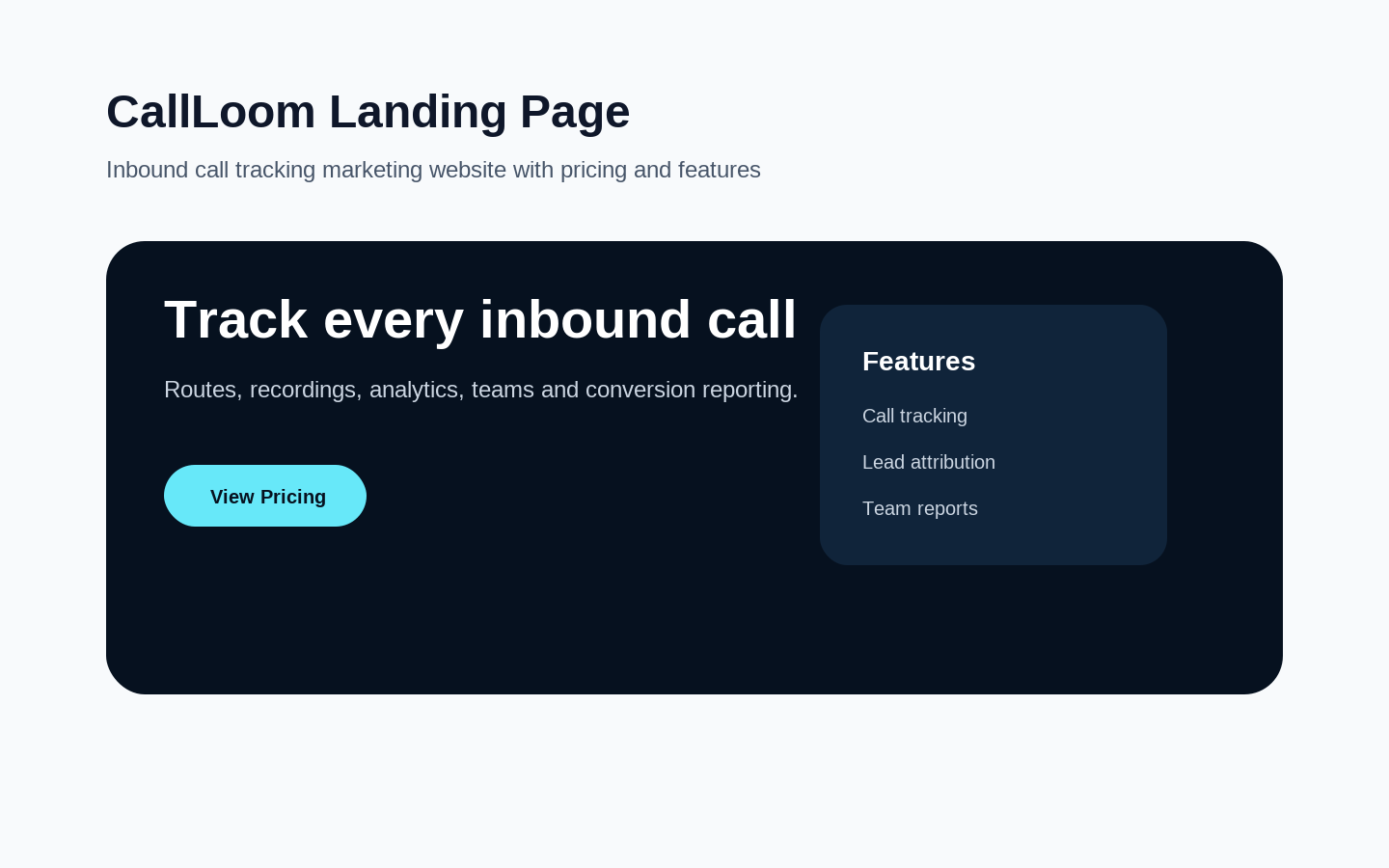
Development turns approved designs into a working site on a staging URL. For most business sites I build with Next.js and React, statically generating pages where possible and adding a headless CMS if the client needs to edit content. Forms, booking flows, CRM or email integrations are connected and tested against real accounts, not mocked. The CallLoom landing page is a good example of a straightforward build: clear sections, responsive from the start, SEO-ready headings, and a conversion flow decided before any code was written.
QA is a distinct stage, not something that happens while building. I test every template on real phones and desktop browsers, check every form submission arrives where it should, run accessibility checks, and measure performance on the staging build. The aim is to catch problems while they are cheap, rather than after launch.
- Client provides: real content entered or delivered, test accounts for integrations, review of the staging site.
- Developer delivers: staging site, CMS access and training, QA report with fixes applied.
- QA covers: responsive layouts, cross-browser checks, forms and integrations, accessibility, performance and broken links.
06Technical SEO setup and launch
SEO setup happens before launch, not after. Every page gets a unique title, meta description and canonical URL. I generate an XML sitemap and robots.txt, add structured data where it is accurate, make sure missing pages return real 404 status codes, and set up 301 redirects from every old URL. Getting this wrong is how a site ends up in the Discovered – currently not indexed state for weeks after launch.
Performance gets a final pass at the same time. I check the key templates against the thresholds in my Core Web Vitals guide and fix anything that regressed during content entry, which is often oversized images uploaded through the CMS.
Launch itself is usually the least dramatic part: switch DNS or deploy to production, remove staging noindex rules, verify the domain in Search Console, submit the sitemap, and test every form again on the live domain.
- Client provides: domain registrar and DNS access, final sign-off, a launch date with someone available to test.
- Developer delivers: production deployment, redirects, sitemap submission, analytics and Search Console verification.
07Post-launch support and a realistic website timeline
The first few weeks after launch are when Google recrawls the site and real users find edge cases. I include a post-launch support window to fix issues, watch Search Console for indexing or redirect problems, and check field performance data as it arrives. After that, ongoing maintenance takes over.
As for how long the whole thing takes, these are typical timelines when content and feedback arrive on time. If they don't, every stage stretches by the same amount.
- Landing page: one to three weeks.
- Brochure website (5–10 pages): two to five weeks.
- Business website with CMS (10–40 pages): five to ten weeks.
- E-commerce store: six to twelve weeks, depending on catalogue size and integrations.
The fastest projects I work on are the ones where the client has their content written before the first call.
08Starting your own website project
If you're planning a new site or a redesign, the most useful thing you can do now is write a one-page brief: goals, pages, must-have features, integrations, examples you like and your deadline. That single document shortens discovery and makes quotes comparable.
It also helps to agree up front how changes are handled. New ideas always come up halfway through a project. The calm way to deal with them is a short list of post-launch improvements: anything that isn't essential for launch goes on the list, and gets scoped and scheduled once the site is live. That keeps the launch date intact without saying no to good ideas.
When you're ready to build, my website development service follows exactly the process above. I work remotely with clients worldwide, and I'm happy to review a brief and tell you honestly whether you need a custom build or a well-configured template.