01What SaaS development actually involves
SaaS development is the work of turning one repeatable business workflow into a hosted product that many customers pay for on a subscription. The feature the customer sees is usually the smallest part of it. Around that feature sit tenants, users, roles, billing, onboarding, emails, admin tooling, monitoring and deployment, and every one of them has to work before the first invoice goes out.
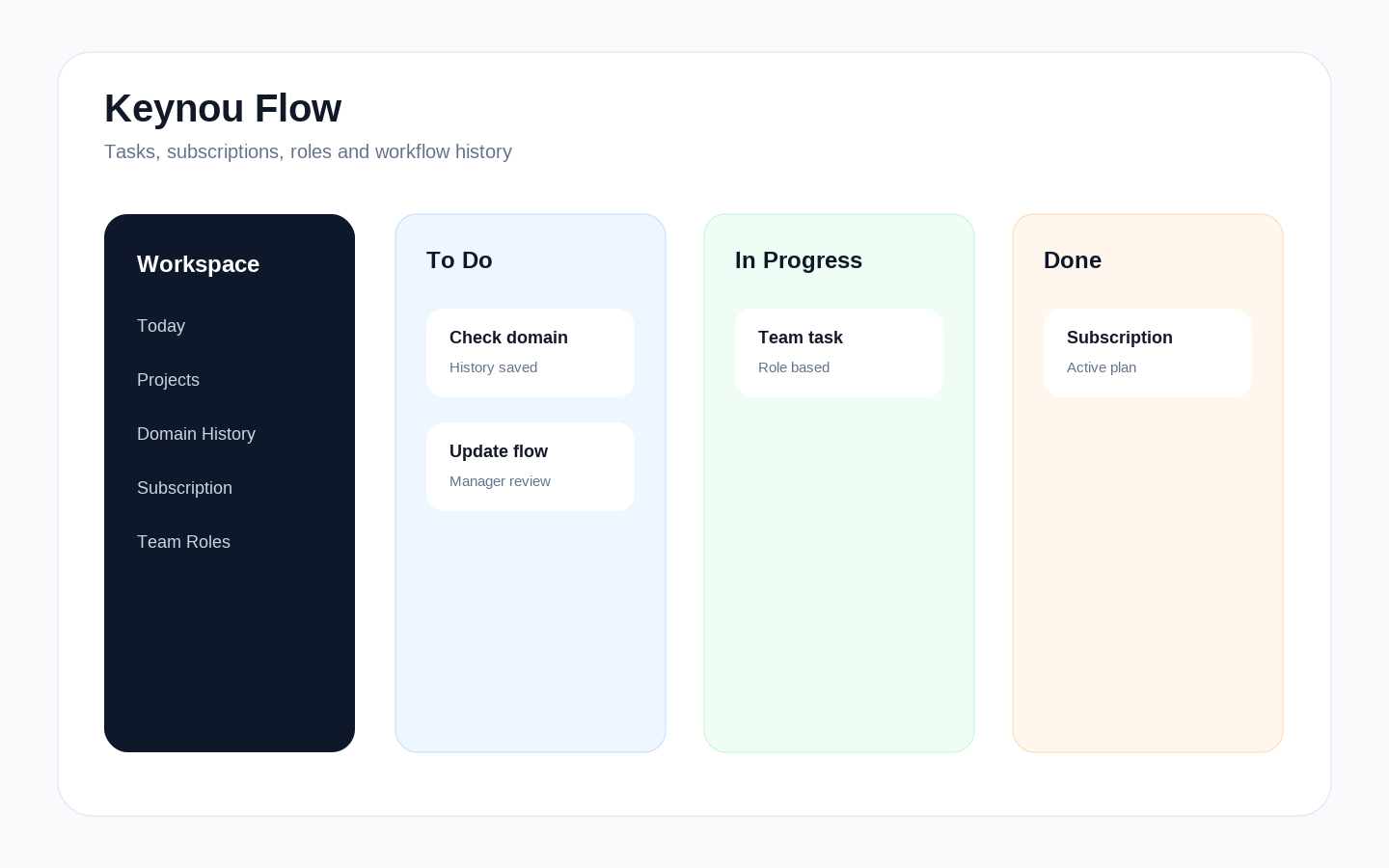
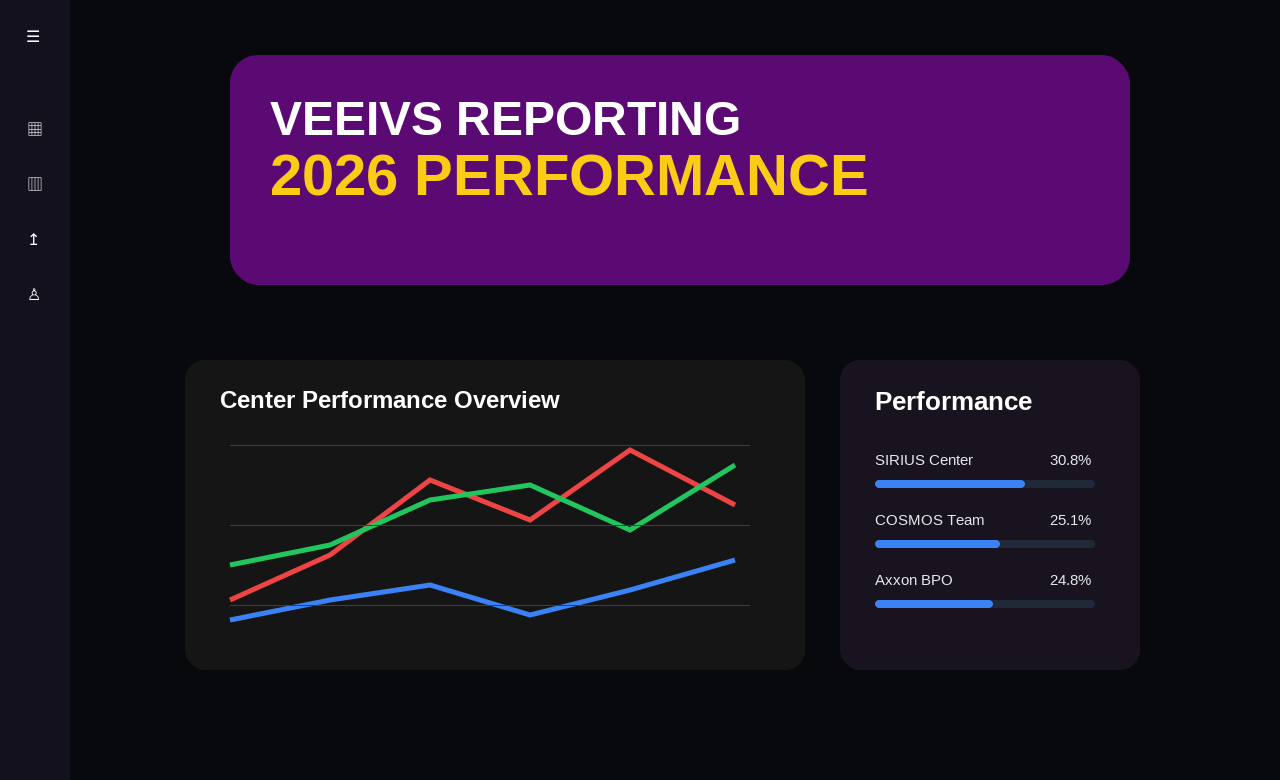
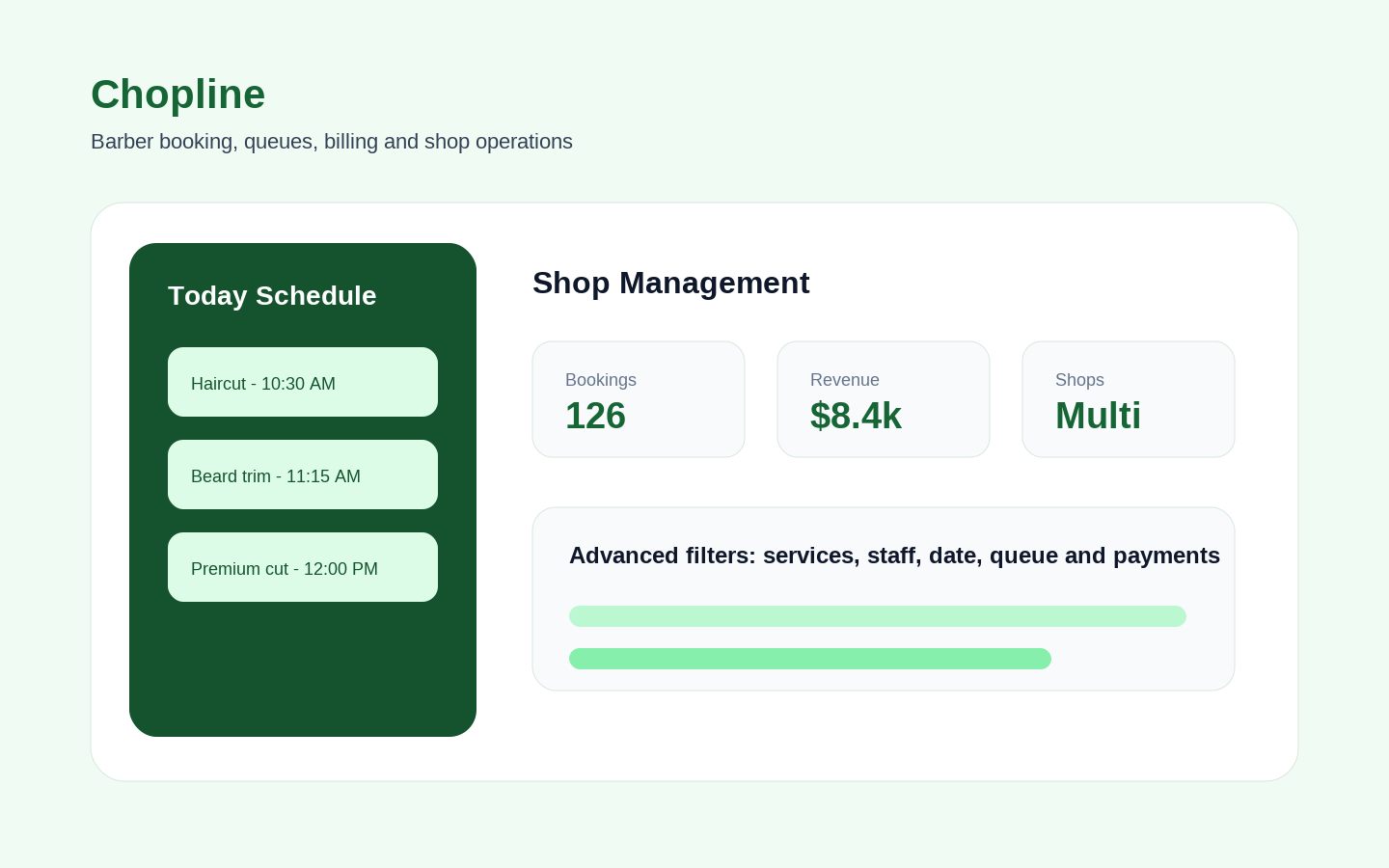
I have built and worked on several SaaS products as a full stack developer: a call tracking platform with Stripe billing and multi-tenant management, a task and workflow product with role-based access and subscriptions, a multi-branch reporting platform, a multi-tenant booking product for barber shops and an online tools platform. The products were very different. The list of things that decided whether they shipped smoothly was almost identical.
This guide walks through that list in the order I would tackle it on a new build. Each section summarises a decision and, where I have written about it in more depth, links to the detailed article.
- Validate the problem and the buyer before writing code.
- Scope an MVP around one complete workflow, not a feature list.
- Pick a stack your team can operate for years, not the newest one.
- Decide the tenancy model, roles and billing boundaries deliberately.
- Ship, measure and iterate on what paying customers actually do.
02How to validate a SaaS idea before you build it
The most expensive SaaS platform is the one nobody needs. Before any architecture conversation, I want a founder to be able to answer three questions in a sentence each: who has this problem, what do they do about it today, and what would make them switch.
The best signal is an existing workaround. If your future customers are running the workflow in spreadsheets, shared inboxes or a pile of disconnected tools, they have already proven the problem is real and they have already shown you the data model. Most of the SaaS products I have worked on started from exactly that kind of messy, manual process.
Talk to people who would pay, not people who would be polite. A handful of conversations where someone describes the problem unprompted is worth more than a large survey. If you can, get a few of them to agree to try an early version, because those early users will shape the MVP more than any requirements document.
If you cannot name the first ten customers and the spreadsheet they use today, you are not ready to choose a tech stack.
03Scoping a SaaS MVP that can actually ship
A SaaS MVP is not a smaller version of the final product. It is the smallest product that completes one real workflow end to end for one type of customer, including the boring parts: sign-up, a tenant, the core workflow, a way to pay and a way for you to support them.
Scope tends to explode in three places: building for every customer segment at once, adding configurability before anyone has asked for it, and building integrations speculatively. I cut those first. What I do not cut is the foundation, meaning tenant scoping, roles and a clean data model, because retrofitting those after launch costs far more than building them up front.
Timelines vary with complexity, but a focused MVP built by an experienced full stack developer typically runs in phases measured in weeks rather than months per phase. I break down what goes in, what to cut and a realistic phase-by-phase plan in SaaS MVP scope and timeline.
- One customer type, one core workflow, one pricing model.
- Manual back-office processes are fine at MVP stage if the customer never sees them.
- Integrations only where the workflow is useless without them.
- An internal admin view from the first month.
04Choosing a SaaS tech stack: React, Next.js, Django, Node.js and PostgreSQL
My default SaaS tech stack is React or Next.js on the frontend, Django or Node.js on the backend and PostgreSQL as the database. None of that is exotic, which is the point. A SaaS platform lives for years, and you want a stack with mature libraries for auth, billing, background jobs and admin, plus a large pool of developers who can maintain it after the first build.
On the frontend, Next.js is a strong fit when you have public marketing pages, docs or SEO-sensitive content alongside the app, while a plain React single-page app is perfectly good for an authenticated dashboard. I compare the two in more detail in choosing between React and Next.js.
On the backend, Django gives you an ORM, migrations, an admin and a permissions system out of the box, which removes weeks from a SaaS build; it is what I used for the call tracking, workflow and booking products. Node.js makes sense when the team is JavaScript-only or the product is heavy on real-time connections. For background work such as file processing, emails and webhook handling, add a queue. On the online tools platform, Celery workers handled the heavy processing so web requests stayed fast.
PostgreSQL earns its place through transactional integrity, JSON columns for flexible settings, row-level security for tenant isolation and enough indexing options to carry you well past your first thousand customers. If you want a backend built on this stack, that is the core of my Django backend development work.
05SaaS architecture and multi-tenancy
Multi-tenancy is the architectural decision that defines a SaaS product. Every query, every file, every background job and every invoice belongs to a tenant, and the model you choose for separating them hardens into everything else.
There are three common models: a shared schema with a tenant column, a schema per tenant, or a database per tenant. For most new products I start with a shared schema, enforce tenant scoping at the query layer so it cannot be forgotten, and add PostgreSQL row-level security as a backstop. I explain the trade-offs and the mistakes that force a painful migration in multi-tenant architecture decisions.
Beyond the data model, a few architectural choices pay for themselves on every SaaS build. Keep the application a well-structured monolith until you have a concrete reason to split it. Put slow work on a queue. Use opaque IDs in URLs and APIs. Store tenant configuration in the database rather than in code or environment variables, so onboarding a new customer never needs a deploy.
Design the API as if someone else will consume it, even if only your own frontend does at first. Consistent resource naming, pagination on every list endpoint, clear error responses and versioning from the start make it much easier to add a mobile app, a partner integration or a public API later. Most SaaS customers eventually ask to connect the product to something else, and outgoing webhooks or a documented API are often what moves a deal from interested to signed. Building those integrations so that a failure in a third-party system never corrupts your own data is a large part of my API development and integration work.
If adding a new customer requires a developer, the SaaS architecture is not finished yet.
06Authentication, roles and permissions
Authentication in a SaaS product is more than a login form. You need sign-up with email verification, password reset, invitations to join an existing tenant, session management and, increasingly, social login and two-factor authentication. On the call tracking platform, Google sign-in and 2FA were part of the core product rather than extras, because the customers were handling sensitive call data.
Roles are where many products get stuck. Start with a small fixed set, typically owner, admin and member, and check permissions in one place on the backend rather than scattering checks through views and components. Hiding a button on the frontend is a usability feature, not a security control.
Design for the case where one person belongs to more than one tenant. Agencies, consultants and franchise operators often need that, and adding it after launch touches the user model, sessions and every permission check. On the workflow product I worked on, role-based access shaped the screens each user saw, so getting the role model right early simplified the whole frontend.
- Membership is a link between a user and a tenant, with a role on the link.
- Every API endpoint checks tenant and role on the server.
- Invitations expire and can be revoked.
- Audit log for sensitive actions such as role changes and exports.
07Subscription billing and payments
Billing is the part of SaaS development teams most often underestimate. The checkout page is easy. The hard parts are trials, upgrades and downgrades, proration, failed payments, cancellations, refunds, taxes and keeping your database in sync with the payment provider when events arrive late or twice.
I use Stripe as the default because its subscription model, hosted checkout and customer portal cover most of what an early SaaS needs. The core rules are to treat webhooks as the source of truth for subscription state, process every event idempotently, and gate features through entitlements stored in your own database rather than by checking plan names in code.
Billing should attach to the tenant, not the user, or your first customer who wants a second seat will break your assumptions. I go deep on plans, trials, metering, webhooks, dunning and proration in SaaS subscription billing with Stripe, and you can see a working example in the CallLoom call tracking SaaS case study, which combined Stripe billing, webhooks and multi-tenant management.
08Dashboards, analytics and onboarding
For most B2B SaaS products the dashboard is the product, or at least the screen customers open every morning. The dashboards that get used are designed around a decision the user makes, not around every metric the database happens to contain. I wrote about that approach in designing dashboards people actually use, based on reporting, compliance, payroll and call tracking work.
On the reporting platform I built for multi-branch performance, the useful views were rankings and time-based comparisons that answered who is ahead and what changed, not raw tables. Pre-aggregate the numbers behind heavy dashboards in background jobs, so loading the home screen does not mean scanning months of rows on every request.
Onboarding is the other half of activation. A new tenant should land in a product that already has sensible defaults, a clear first action and, ideally, sample data they can delete. Measure how many sign-ups complete that first action, because that number usually tells you more about churn than anything else in the first months.
- One primary question per dashboard screen.
- Empty states that explain the next step instead of showing blank charts.
- Product analytics events for sign-up, first key action and upgrade.
- An onboarding checklist that disappears once completed.
09Security, compliance and deployment
A SaaS platform holds other businesses' data, so security is part of the product rather than a phase at the end. The basics cover most of the risk: enforced tenant isolation, server-side permission checks, encrypted connections, hashed passwords, secrets kept out of the repository, dependency updates and rate limiting on authentication and public APIs.
Compliance depends on your market. Healthcare, finance and anything handling personal data in regulated regions bring specific requirements around data location, retention, access logs and deletion. Find out which apply before you design the data model, because data residency in particular can change the tenancy decision.
For deployment, aim for boring and repeatable: containerised services or a managed platform, automated deploys from the main branch, database migrations that run as part of the release, automated backups that you have actually restored once, error tracking and uptime monitoring. Separate staging and production environments with separate payment provider keys. None of this is glamorous, and all of it is what lets you ship on a Friday without dread.
Test a backup restore before launch. A backup you have never restored is a hope, not a plan.
10Launching and iterating on a SaaS product
Launch to a small group first. Early customers who know they are early will forgive rough edges and tell you exactly what is missing, and you can fix things quickly while the user count is small enough to talk to everyone.
After launch the job changes from building features to learning which ones matter. Watch where users drop out of onboarding, which features paying tenants use weekly and what support requests keep repeating. Those three sources will drive a better roadmap than any feature wishlist written before launch.
Keep the release cadence short and the changes small. Feature flags let you ship code before you expose it, and per-tenant flags let you test a new workflow with one friendly customer before rolling it out. Make sure changes to billing, permissions and data migrations get extra review, because those are the areas where a mistake costs trust and money rather than just time.
11How to choose and hire a SaaS developer
When you hire a SaaS developer, look for someone who has shipped the unglamorous parts, not just attractive screens. Ask how they handled tenant isolation, how they processed payment webhooks, what happened when a payment failed and how they deployed and monitored the product. Specific answers to those questions separate a SaaS platform developer from someone who has built a few landing pages.
Decide whether you need one full stack developer, a small team or an agency, and be clear about ownership of the code, the infrastructure accounts and the payment provider account from day one. I cover how to compare options, what to ask and how to run the engagement in the guide to hiring a freelance full stack developer.
If you are planning a SaaS product and want a developer who has built multi-tenant platforms, subscription billing and analytics dashboards end to end, take a look at my SaaS development services or the related web application development work, and see how a subscription-based workflow product came together in the Keynou Flow case study. When you are ready, get in touch about your SaaS project with a short description of the workflow you want to build and who it is for.