01What does a professional website actually need?
I'm a full stack developer, and most of my work is CRMs, SaaS products and dashboards. But a surprising share of the conversations I have with businesses start with the website, because it's the one piece of software every customer sees. Professional website development is not about how many animations a homepage has. It's about whether the site does its job: explaining what you do, earning trust, and turning visitors into enquiries or sales.
When a client asks me to review their current site, I check the same short list every time. If a website developer can't tick these off on your project, the site isn't finished, no matter how it looks.
- A clear message above the fold: who you help, what you do, and what the visitor should do next.
- Complete HTML on every URL, with a unique title, meta description and canonical tag, so search engines can index it.
- Good Core Web Vitals on real mobile devices, not just on the developer's laptop.
- A working conversion path: a contact form, booking flow or checkout that has actually been tested end to end.
- Accessible markup: real headings, labelled form fields, alt text and keyboard navigation.
- Analytics and Search Console set up from day one, so you know what is working.
- An owner who can update content without calling a developer for every typo.
A website that looks finished and a website that is finished are different things. The gap is almost always performance, indexing and the conversion path.
02Custom Next.js vs WordPress vs website builders: which platform fits?
This is the first real decision, and I try to be honest about it even when the honest answer means I'm not the right person to hire. There are three broad options, and each one is correct for some businesses.
Website builders such as Wix, Squarespace or Webflow are the right call when you need a good-looking brochure site quickly, the content is mostly static, and nobody on your team wants to touch code. You trade flexibility and some performance headroom for speed and convenience. For a small local business, that is often a good trade.
WordPress makes sense when content volume is high, non-technical editors publish often, and you need a plugin ecosystem for things like events, memberships or multilingual content. The risk is plugin sprawl: every plugin is code you didn't write and have to keep updated, and a theme plus twenty plugins is where slow, fragile WordPress sites come from.
A custom Next.js website is what I build when performance and SEO are business-critical, when the site needs to integrate tightly with a product, CRM or API, or when it is the marketing front of a SaaS. You get full control over rendering, metadata and page weight, and content can come from a headless CMS so editors still have an admin panel. The cost is that it needs a developer for structural changes. I wrote a separate comparison of when React alone is enough and when Next.js is the better choice if you're deciding at that level.
- Builder: fastest to launch, least control, monthly subscription, fine for simple brochure sites.
- WordPress: best for content-heavy sites with many editors, needs disciplined plugin and update management.
- Custom Next.js: best for performance, SEO and integrations, higher upfront cost, lowest long-term bloat.
- Shopify or a headless commerce setup: usually right for online stores, rather than building checkout from scratch.
Pick the platform for the next three years of the business, not for the launch week. Migrating platforms later costs more than choosing carefully now.
03Content management: who updates the website after launch?
This question decides more about the build than most clients expect, so I ask it in the first call. If nobody will touch the site except to change a phone number once a year, a CMS is overhead you don't need; content can live in the codebase and a developer updates it in minutes. If a marketing person publishes articles every week and adds new service pages every quarter, the site needs a proper content model from day one.
With a custom Next.js build, that usually means a headless CMS: editors get a clean admin panel with fields for exactly the content each page type needs, and the site rebuilds or revalidates pages when they publish. The important word is structured. A good content model has a "service" type with a title, summary, body, FAQs and an image, rather than a single free-text box where anyone can paste anything. Structure is what keeps the design consistent and the metadata complete after the developer has gone.
- Rarely updated brochure site: content in code, no CMS licence or admin to maintain.
- Regular blog or news: a headless CMS or WordPress with a defined article type.
- Many page types and editors: structured content models, roles and a preview before publishing.
Ask to be shown how you will add a new page yourself before launch, not after. If it needs a developer, you should know that up front.
04Planning, sitemap and content come before design
The most common reason website projects run late has nothing to do with code. It's content. Designs get approved with placeholder text, development finishes, and then the project sits for weeks waiting for service descriptions, photos and testimonials that nobody has written.
So I start with discovery: who the site is for, what they search for, what action counts as a conversion, and which pages need to exist. That produces a sitemap, and every page on the sitemap gets a one-line purpose and a target search phrase. A services business, for example, usually needs one dedicated page per service rather than one page listing them all, because each service is a separate search query.
I break the whole sequence down step by step, including what the client is responsible for at each stage, in my website development process guide. If you only read one of the articles in this series before starting a project, read that one.
- Define the primary conversion: call, form, booking, purchase or sign-up.
- List the questions customers ask before buying, and give each a home on the site.
- Write real copy before high-fidelity design, or at least in parallel with it.
- Gather assets early: logo files, brand colours, photos, testimonials you have permission to use.
05Website design and development that converts
Good website design and development work together. A design that ignores how the page will be built tends to produce layouts that shift as fonts load, hero images that are too heavy, and mobile views that were never really designed. I prefer wireframes first, then a visual design built from a small set of reusable components: buttons, cards, section layouts and form styles.
On the build side, I use React and Next.js for websites that need to rank, with pages statically generated wherever the content allows it. Static generation means every URL returns complete HTML instantly from the edge, which is good for both visitors and crawlers. Dynamic parts such as forms, search or a customer dashboard are added where they're needed rather than making the whole site client-rendered.
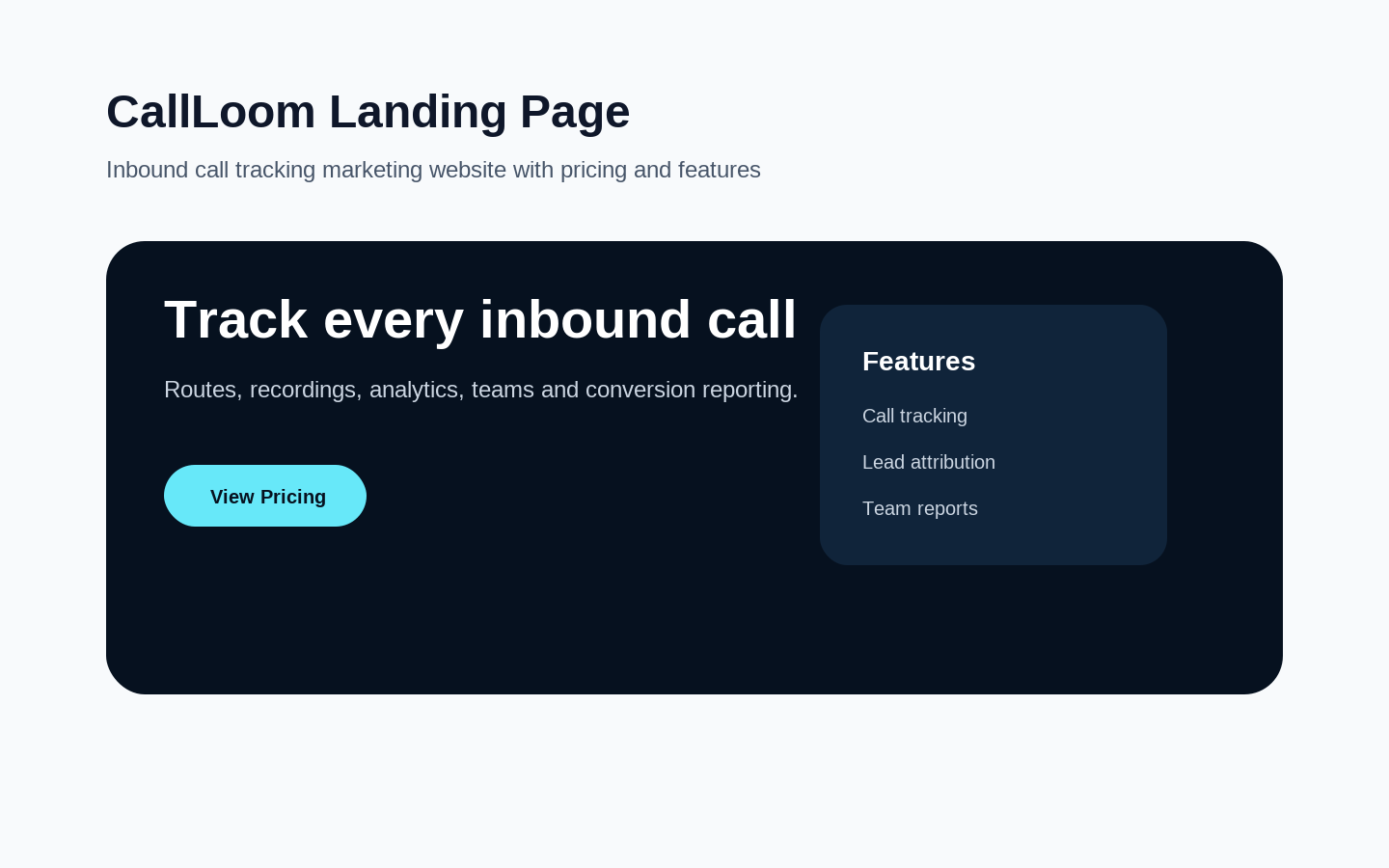
A concrete example is the CallLoom SaaS landing page I built in Next.js: structured sections for features, pricing and calls to action, responsive from the start, with SEO-ready headings. Nothing exotic, just a page whose structure was decided by what the visitor needs to understand, in the order they need to understand it.
- Design mobile first; most visitors to a business website arrive on a phone.
- Keep one primary call to action per page and repeat it at natural decision points.
- Use a component system so new pages are assembled, not re-designed.
- Treat animation as seasoning. Every animation library is JavaScript the visitor downloads.
06How much does professional website development cost?
Price depends on the type of site far more than on the developer. A five-page brochure site, a 20-page business website with a CMS, an e-commerce store and a custom web application are different products, and quotes for them differ by an order of magnitude.
The main cost drivers are the number of unique page templates, whether a CMS is needed, integrations with other systems, e-commerce, custom functionality and who is producing the content. Ongoing costs matter too: hosting, domain, email, licences and maintenance add up over the life of the site.
I've written a full breakdown of what a website costs in 2026 by type, with general market ranges and the questions that stop you overpaying. If you're comparing quotes from different freelancers and agencies, that is the place to start.
The cheapest quote is often the most expensive website, because what was left out comes back as change requests after launch.
07Performance and Core Web Vitals
Speed is not a nice-to-have. Visitors abandon slow pages, and Google uses Core Web Vitals as part of its page experience signals. The three metrics are Largest Contentful Paint (how quickly the main content appears), Interaction to Next Paint (how quickly the page responds to taps and clicks) and Cumulative Layout Shift (how much the layout jumps around while loading).
Most of the performance problems I see on business websites come from the same few places: an oversized hero image, web fonts loaded without a fallback strategy, third-party scripts for chat widgets and trackers, and too much JavaScript hydrating content that never changes. None of these need heroic engineering to fix; they need someone to measure first and then make deliberate trade-offs.
My practical Core Web Vitals guide for React and Next.js sites covers LCP, INP and CLS in detail, how to read field data versus lab data, and the specific fixes I apply. If performance is already a problem on an existing site, that is the kind of work I do under website performance and SEO optimization.
- Size and compress images, and give the hero image loading priority.
- Self-host fonts and reserve their space so text does not jump.
- Audit every third-party script and remove or defer what you can.
- Ship server-rendered HTML and hydrate only what is interactive.
08Technical SEO: building an SEO-friendly website from day one
An SEO-friendly website is mostly an engineering outcome, not a plugin. Rankings come from content and links, but technical SEO decides whether Google can see your content at all. I've learned this the hard way on my own site: Search Console had discovered every URL and refused to index nineteen of them, because of a single build configuration line that left nested pages blank. I wrote up how I diagnosed the Discovered – currently not indexed problem step by step.
That experience is a big part of why I moved my own developer portfolio onto server-rendered pages with per-route metadata. The fundamentals are not complicated, but they have to be designed in, because retrofitting them into a client-rendered site is painful.
- Every URL returns full HTML, not an empty JavaScript shell.
- Unique title, meta description and canonical URL per page.
- An XML sitemap and a robots.txt that does not block anything important.
- Real 404 status codes for missing pages, and permanent redirects for moved ones.
- Structured data (JSON-LD) for the organisation, articles, products or FAQs where it is accurate.
- Internal links from hub pages so no page relies on the sitemap alone to be found.
A sitemap tells Google a page exists. Internal links tell Google the page matters. You need both.
09Accessibility is part of professional website development
Accessibility gets treated as a compliance checkbox, but in practice it overlaps almost entirely with good engineering. Semantic HTML that a screen reader understands is also HTML that a search engine understands. Forms with proper labels are easier for everyone to complete. Sufficient colour contrast helps someone reading on a phone in sunlight just as much as someone with low vision.
I aim for the WCAG 2.2 AA level as a working baseline on any business website. It does not require a separate project; it requires building with the right habits from the start and testing with a keyboard and a screen reader before launch.
- One H1 per page, and headings in logical order.
- Descriptive alt text on meaningful images, empty alt on decorative ones.
- Every interactive element reachable and usable with a keyboard, with a visible focus state.
- Labels on every form field, and error messages that say how to fix the problem.
- Colour contrast that meets AA, and no information conveyed by colour alone.
10Website launch checklist and maintenance after launch
Launch day is where small oversights become expensive. A staging robots rule that blocks crawling gets copied to production, a contact form posts to a test inbox, or old URLs start returning 404s and lose whatever rankings they had. I run the same launch checklist, listed below, on every project, including small ones.
Then the site needs looking after. A website is not a one-off purchase: dependencies need security updates, content goes out of date, and Search Console will surface new issues as Google recrawls. A site that nobody touches for two years usually ends up slower, less secure and less visible than the day it launched.
For most business websites, maintenance is a few hours a month: dependency and CMS updates, a check that backups are running, a look at Search Console coverage and Core Web Vitals reports, a test submission of every form, and small content changes. Once a quarter, I'd add a performance audit and a refresh of the key pages; once a year, an honest review of whether the site still reflects the business, its services and its pricing. For an online store it's more, because payments, stock and shipping integrations all change underneath you; that's where dedicated e-commerce development support earns its cost.
- Remove any noindex tags and staging robots rules from production.
- Map every old URL to its new equivalent with 301 redirects.
- Submit the XML sitemap in Google Search Console and verify the property.
- Test every form, checkout and booking flow with real submissions, and confirm where they arrive.
- Check the site on a real mid-range Android phone, not only in desktop dev tools.
- Confirm HTTPS, the preferred domain (www or not) and canonical tags all agree.
- Run PageSpeed Insights and an accessibility scan on the key templates.
- Set up uptime monitoring and make sure backups are actually running.
Redirects are the step most often skipped on a redesign, and they are the one that protects the search traffic you already have.
11How to choose a website developer, and how to work with me
Whether you hire a freelance web developer, an agency or someone in-house, ask to see live sites they built, run them through PageSpeed Insights yourself, and view the page source to check there is real HTML in it. Ask who will own the domain, hosting accounts and code at the end. Ask what happens after launch. A good website developer will answer all of those without hesitating. My broader guide to hiring a freelance full stack developer covers the vetting process in more depth.
If you'd like me to build or rebuild your business website, I work remotely with clients worldwide from Rawalpindi, Pakistan, and usually build in Next.js with a headless CMS where editors need one. You can see what's included on my web development services page, and the quickest way to start is to send me a short brief through the contact page with what the site needs to do and roughly when you need it.