01Why this question matters more for money apps
A budgeting app knows your income, where you shop, what you pay for rent and how much you save. That is some of the most personal data on your phone. Yet most people install a finance app in thirty seconds without asking a single question about how it handles that data.
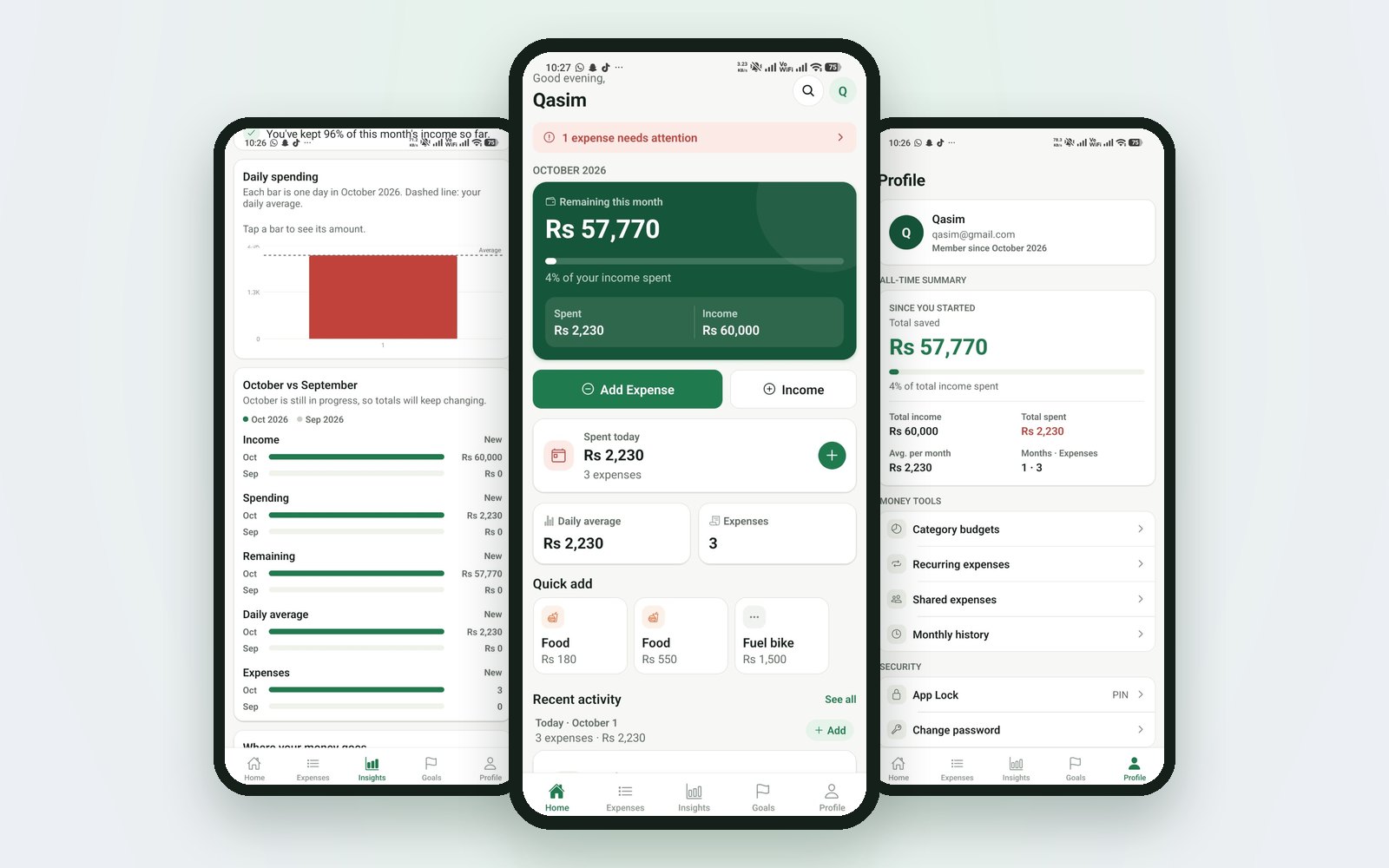
When I built Spendora, an Android expense tracker, I wrote down the questions I would want answered as a user and treated each one as a requirement. Here they are, with Spendora's answers — use the same list for any app you are considering.
021. Does it need your bank login?
Some finance apps ask you to connect your bank or card so they can import transactions automatically. That is convenient, but it gives the app — and often a third-party aggregator — ongoing read access to your accounts.
Spendora deliberately does not do this. It never asks for bank logins, card numbers or SMS access. You enter amounts yourself, so the app only knows what you choose to tell it. Every account also starts completely empty: Spendora never invents or pre-fills financial data.
The safest data is the data an app never collects.
032. Who can read your records?
Your data needs to live somewhere if you want it back on a new phone. The question is whether anyone else's request can ever reach it.
In Spendora, every record belongs to exactly one account, and the server filters every request by the signed-in user. Asking for another account's expense returns "not found", as if it did not exist. This is not a promise in a privacy policy — it is covered by automated tests for every feature, which run before every change ships.
043. How are you signed in?
Passwords should never be stored as readable text, and a stolen session should not last forever.
- Passwords are hashed by Django's password system and weak or very common passwords are rejected.
- Login errors never reveal whether an email is registered, and sign-up and login are rate-limited.
- Sessions use short-lived access tokens (30 minutes) with rotating refresh tokens, kept in the phone's secure keystore rather than plain storage.
- Logging out or changing your password revokes refresh tokens, and a password change signs out your other devices.
054. What happens if someone picks up your phone?
An unlocked phone on a table is the most common real-world privacy leak. Spendora has an optional App Lock with a 4-digit PIN or fingerprint / face unlock, which locks every time you leave the app.
The lock screen shows no money details. The PIN is stored only as a salted hash in the secure keystore, five wrong attempts trigger a 30-second wait, and a different account signing in on the same phone never inherits the previous person's PIN. Daily reminder notifications never show amounts either.
065. Can you take your data and leave?
You should be able to walk away from any app with your history intact. Spendora exports this month, the last three months, this year or all time to CSV, which opens in Excel or Google Sheets.
And you should be able to make the app forget you. Delete account in Profile permanently removes the account and all of its data, after confirming your password.
076. How to install an Android APK safely
Spendora is currently distributed as an APK from its official download page rather than the Play Store. Installing apps outside the store is normal on Android, but it puts more responsibility on you to get the file from the right place.
- Only download from the developer's official page, over HTTPS. Never install a finance app APK sent in a chat, forum or file-sharing link.
- Android will ask you to allow "Install unknown apps" for your browser. Allow it for the install, and you can switch it off again afterwards in Settings.
- Keep Google Play Protect switched on — it scans side-loaded apps too.
- To update, install the newer APK from the same page. It replaces the app and keeps your data, because your data lives in your account.
The risk with APKs is not the format, it is the source. One official link, nothing else.
08What to take away
No app can be risk-free, but a well-built finance app minimises what it collects, isolates every account, protects sessions properly, can be locked, and lets you leave with your data. If an app cannot clearly answer these six questions, that is your answer.
If you are building a finance or banking-adjacent app yourself, these are also the requirements worth writing down before the first screen is designed — they are much harder to retrofit later.